Top 10 Essential Photoshop Brushes Every Architect Needs in 2026
Adobe Photoshop remains the cornerstone of architectural visualization. Whether you are crafting a competition render, preparing a client presentation, or developing your portfolio, the right set of photoshop brushes for architecture can save you hours of work and elevate the quality of your output dramatically.
In this guide, we break down the ten essential brush categories that every architect and architecture student should have installed in 2026
Why Photoshop Brushes Matter for Architects
Unlike graphic designers who use Photoshop primarily for photo editing, architects rely on brushes to add entourage elements, create atmospheric effects, and bring life to otherwise flat renders. A well-placed tree brush or people silhouette can transform a sterile elevation into a compelling narrative. The best architecture render brushes emulate hand-drawn qualities while maintaining the precision that professional presentations demand.
The 10 Essential Architecture Brush Categories
1. Tree and Vegetation Brushes
Trees are the single most used brush category in architectural rendering. They provide scale, context, and visual hierarchy. Professional tree brush sets include elevation views, plan views, and isometric perspectives. Look for sets that offer deciduous trees, conifers, tropical palms, and ornamental shrubs. The best tree brushes for photoshop include seasonal variations (spring bloom, summer canopy, autumn foliage, winter bare) to match your project's climate and setting.
Pro tip: Layer multiple tree brushes at different opacities to create depth. Place darker, more detailed trees in the foreground and lighter, simpler ones in the background to simulate atmospheric perspective.
2. People and Human Figure Silhouettes
Human figures provide the most immediate sense of scale in any architectural drawing. The best people brushes for architecture include walking figures, sitting poses, standing groups, and activity-specific silhouettes (dining, working, playing). Diversity matters: include different body types, ages, and cultural representations to make your renders feel authentic and inclusive. For plan views, top-down people brushes are essential for site plans and urban design presentations.
3. Sky and Cloud Brushes
The sky sets the entire mood of your render. Dramatic cumulus clouds convey power and presence; soft cirrus wisps suggest serenity. A comprehensive sky brush set should include daytime cumulus, sunset gradients, overcast atmospheres, and night sky options. Cloud brushes allow you to quickly paint a custom sky rather than relying on stock photographs, giving your renders a unique, hand-crafted quality that stands out in competitions and publications.
4. Watercolor and Wash Brushes
The watercolor brush trend in architectural rendering continues to grow in 2026. These brushes create soft, painterly effects that evoke hand-drawn presentation boards. They are particularly effective for concept-stage presentations where the design is still fluid. Use watercolor washes as background textures, overlay effects on elevations, or as standalone artistic elements in competition boards. They bridge the gap between digital precision and artistic expression.
5. Texture Brushes (Concrete, Wood, Stone, Brick)
Material textures are fundamental to communicating materiality in sections and elevations. Rather than applying seamless textures as overlays, texture brushes let you paint materials selectively with natural variation. A concrete texture brush with subtle formwork marks, a wood grain brush with realistic knots, or a stone brush with irregular joints all add authenticity. These are especially valuable for detail sections and facade studies.
6. Grass and Ground Cover Brushes
Ground treatment is often overlooked but critical for section drawings and landscape renders. Grass brushes range from manicured lawn textures to wild meadow effects. Include ground cover options like gravel, mulch, and paving patterns. For section cuts, earth and soil texture brushes add geological context. A good grass brush set includes both close-up detailed versions and distant, simplified versions for different scales.
7. Light and Shadow Effect Brushes
Lighting transforms architecture. Sun ray brushes, lens flare effects, spotlight beams, and ambient glow brushes let you control the narrative of light in your renders. Interior renders particularly benefit from artificial light brushes that simulate pendant lamps, recessed fixtures, and natural window light streaming in. Shadow brushes help you quickly add cast shadows and ambient occlusion effects without complex 3D rendering.
8. Vehicle and Transportation Brushes
Cars, bicycles, buses, and pedestrian infrastructure elements are essential for street-level renders and site plans. Modern vehicle brush sets include electric vehicles, scooters, and bike-share stations that reflect contemporary urban life. For plan views, top-down car brushes with realistic proportions are invaluable for parking layouts and traffic studies. Keep vehicle brushes subtle: they should support the architecture, not compete with it.
9. Furniture and Interior Element Brushes
For section cuts, interior elevations, and plan presentations, furniture brushes are indispensable. The best sets include sofas, dining tables, office desks, kitchen equipment, bathroom fixtures, and decorative elements. Modern architectural practice demands minimalist, stylish furniture representations that match contemporary design aesthetics. Look for brush sets that include both filled and outline-only versions for different drawing styles.
10. Annotation and Graphic Element Brushes
North arrows, scale bars, section markers, detail callouts, and graphic symbols are the finishing touches that make your drawings professional. While Revit and AutoCAD handle these in technical drawings, Photoshop annotation brushes are perfect for presentation boards and portfolio pages where you want a more artistic approach. Custom arrow brushes, hand-drawn dimension lines, and sketch-style leaders add personality to your layouts.
How to Install Photoshop Brushes (.ABR Files)
1. Open Photoshop, go to Window > Brushes to open the Brushes panel.
Click the menu icon (three lines) in the panel and select Import Brushes.
2. Navigate to your downloaded .ABR file and click Open.
3. The brushes will immediately appear in your Brushes panel. You can organize them into groups by dragging and dropping within the panel. For Photoshop CC 2019 and newer, brushes are stored as groups that you can enable or disable.
Building Your Brush Library: Quality Over Quantity
Rather than downloading dozens of free brush sets of varying quality, invest in one comprehensive, professionally curated pack that covers all ten categories. A single high-quality pack with 600+ brushes designed specifically for architects will serve you better than hundreds of random brushes scattered across your hard drive. Look for packs that include consistent styling, multiple views (elevation, plan, isometric), and compatibility with Photoshop CC 2019 and newer.
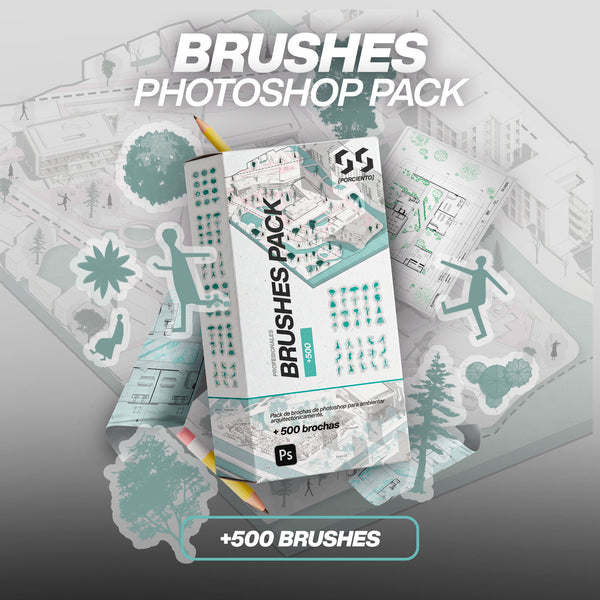
At 99Porciento Studios, our Arch. Pro Brushes Pack (+600) includes all ten categories listed above, specifically designed by architects for architects. Every brush is tested across multiple rendering styles and scales, ensuring versatility whether you are working on a competition board or a client presentation.